
Semantic Model Versioning
Every save is a version. Browse history, compare changes, download model YAML, and restore any previous state — without losing the history that got you there.
Every time a semantic model is saved, Solid automatically creates a new version containing the full model state at that point. Versions make it possible to trace what changed, when, and by whom — and to recover cleanly from unwanted edits without reconstructing the model from memory.
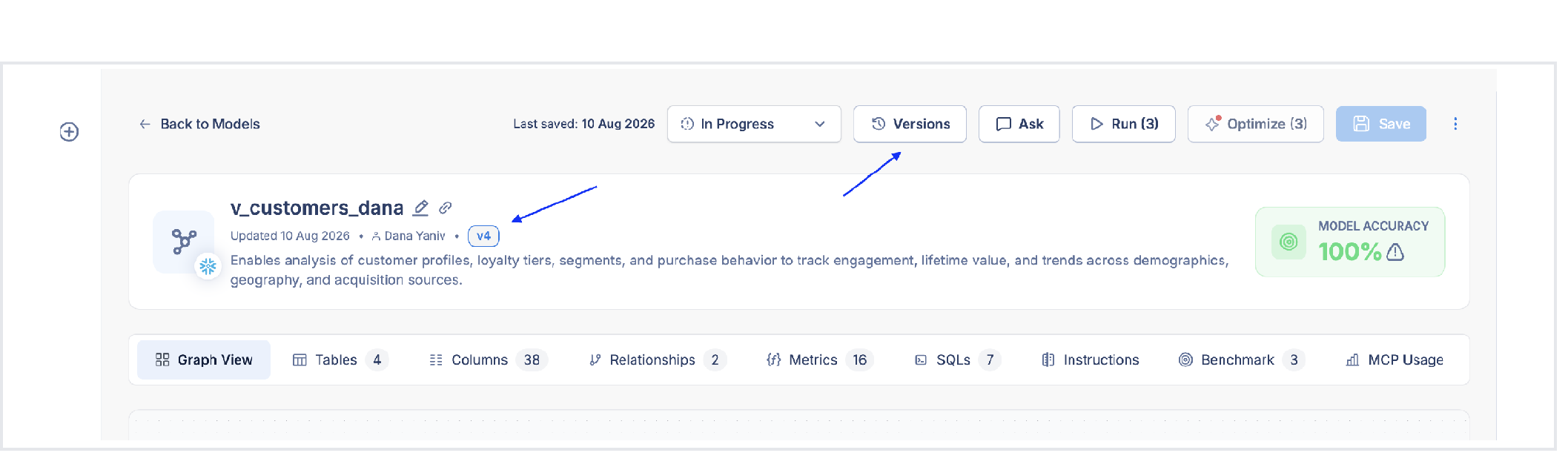
What gets versioned
Every save operation creates a new version:
- Manual saves in the model editor
- Applying benchmark fix recommendations
- Adding or removing tables, metrics, relationships, and SQL patterns
For Layered Models, changes made in a connected core model also create a corresponding version in every affected layered model — so their history stays aligned with the shared logic they inherit.
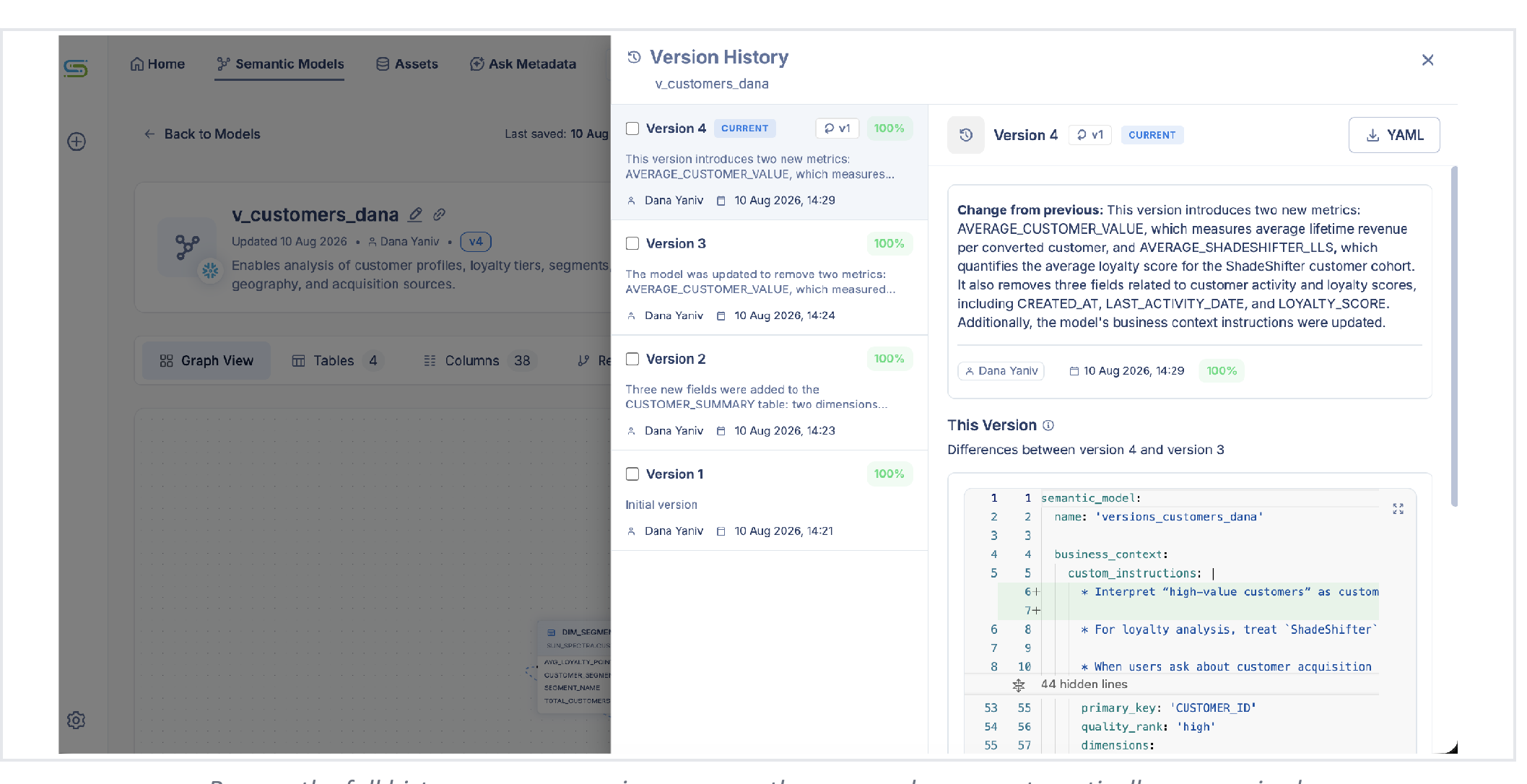
Version history
Open the version history panel from any semantic model to see the full chronological list. For each version:
| Field | What you see |
|---|---|
| Timestamp | When the version was saved |
| Author | Who saved it |
| Change summary | An automatically generated description of what changed (powered by Solid's AI) |
| YAML download | Download the full model definition as YAML |
Comparing versions
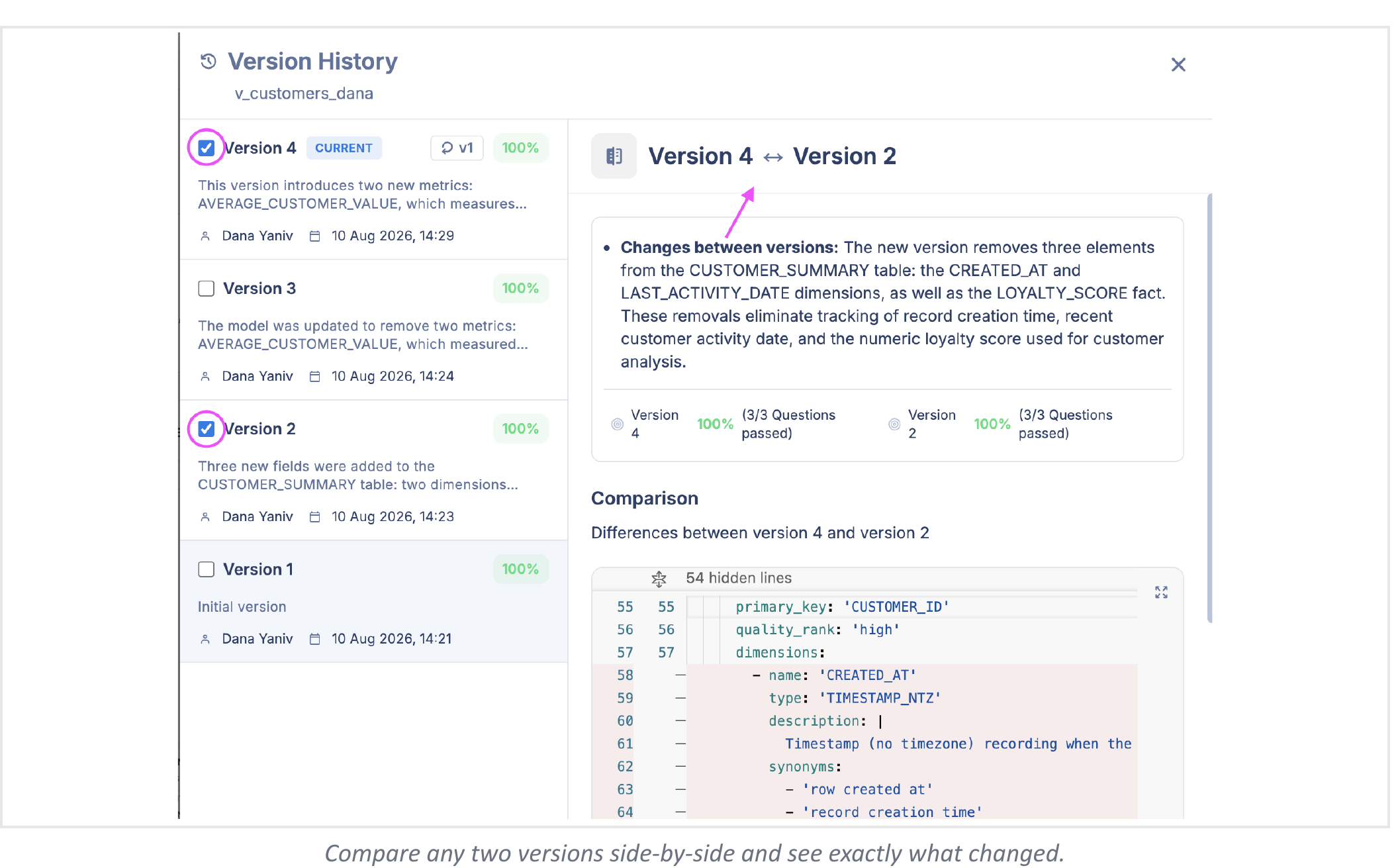
Select any version to compare it with the current state, or compare two historical versions against each other. The diff shows exactly which assets were added, removed, or modified — useful for correlating a model edit with a change in benchmark accuracy.
Benchmark-version association
Every benchmark run is linked to the exact model version it was run against. If accuracy drops after an edit, you can open the run, see which version it used, and compare that version with the current state to isolate the cause.
Restoring a previous version
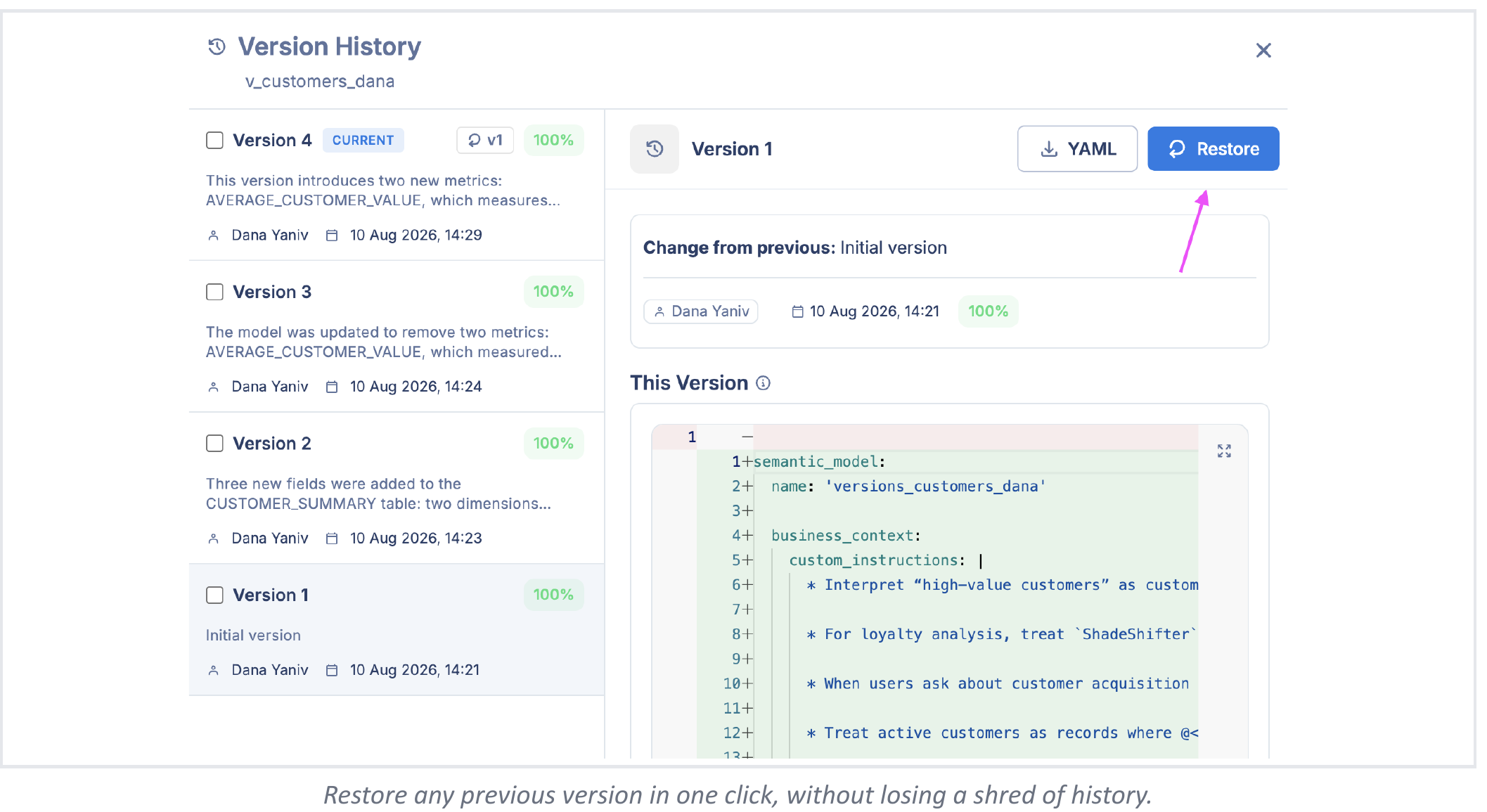
For standalone models (not layered or core), any previous version can be restored in one click. Restoring does not delete or overwrite history — Solid creates a new version based on the selected previous state, so the full edit history remains intact and auditable.
Restoring is not available for layered or core models in the current release, because changes in a core model propagate to connected layered models and the restore would need to account for all downstream effects.
What versioning is not
Solid's version history is designed for traceability and safe rollback — not Git-style branching:
- No feature branches — there is no way to fork a model into parallel development lines
- No merging — two modelers cannot merge separate edits into a single version
- No pull requests — version diffs and restore are in-app; they do not integrate with Git workflows directly
If you need to experiment without affecting the current model, duplicate the model and work on the copy. Restore always creates a new version from a previous state — the full edit history is preserved and nothing is deleted.
For context about syncing organizational documentation from a Git repository into Solid, see the forthcoming context-ingestion documentation.
Why this matters for governance
- Accountability — every change is attributed to an author with a timestamp
- Regression investigation — connect a drop in benchmark accuracy directly to the model edit that caused it
- Safe iteration — modelers can experiment freely, knowing any state can be recovered
- Audit trail — version history provides a complete record of how a model evolved, which is useful for compliance reviews and change management processes
Updated about 1 month ago